

Description
Download Wondershare Zune Video Suite – DVD Ripping, Video Conversion, Zune Compatibility
Overview
Wondershare Zune Video Suite is a specialized media conversion tool designed for users of Microsoft’s Zune portable media player. Its primary purpose is to enable seamless playback of video content on the Zune device by converting a wide range of video formats and extracting content from DVDs. The application addresses the core challenge of format incompatibility, allowing users to enjoy their favorite movies, TV shows, and personal video files on a portable device that has specific media requirements.
Target users include Zune owners who want to expand their media library beyond native formats, as well as individuals with extensive DVD collections seeking to digitize content for mobile viewing. The suite is particularly valuable for users who prioritize convenience and compatibility in their digital media workflow. Although the developer, Wondershare, is known for multimedia software, no additional background on the company’s broader product line was provided in the input.
Real-world use cases include converting home-recorded videos, ripping rented DVDs, and preparing personal video archives for on-the-go entertainment. In the context of the mobile app ecosystem, the suite serves as a niche but essential utility tool for a specific hardware platform that has since been discontinued. Despite its outdated hardware focus, the application remains relevant for users still maintaining Zune devices or seeking legacy media management solutions.
Key Features & Functionality
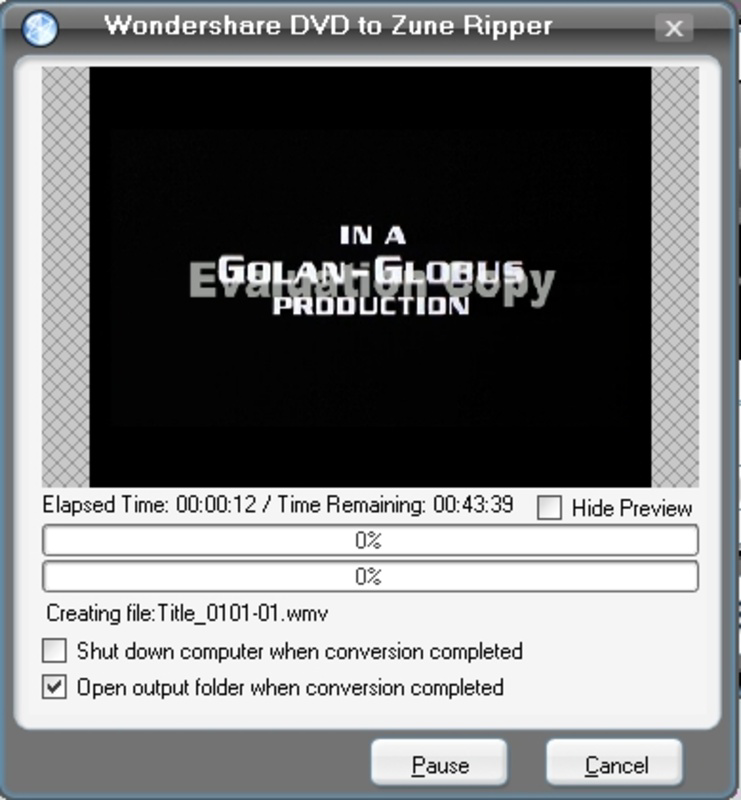
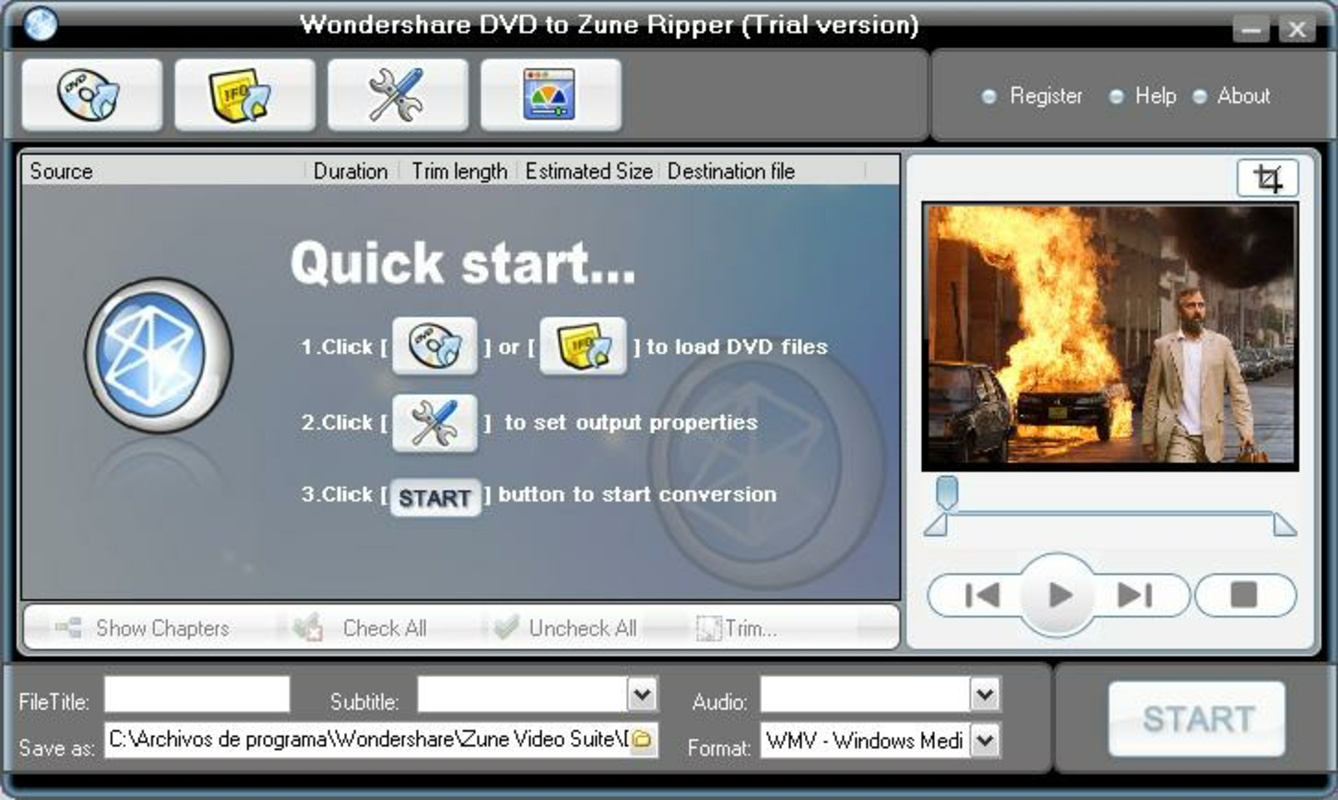
- DVD Ripping Capability: The suite includes a dedicated DVD to Zune Ripper that supports DVD, IFO, and VOB file formats. This allows users to extract video content directly from physical DVDs and convert it into Zune-compatible formats, eliminating the need for third-party tools.
- Wide Format Support: The Video to Zune Converter supports a broad spectrum of video formats, including AVI, DivX, XviD, WMV, MPEG, MPG, DAT, RM, RMVB, MOV, and ASF. This ensures that users can convert nearly any video file they encounter, regardless of source.
- User-Friendly Interface: Designed with simplicity in mind, the interface enables users to navigate through conversion tasks with minimal technical knowledge. Drag-and-drop functionality and clear step-by-step prompts reduce the learning curve, making it accessible to beginners.
- High-Quality Output: The suite preserves visual fidelity during conversion, ensuring that video quality remains sharp and vibrant on the Zune’s screen. This is critical for maintaining an enjoyable viewing experience, especially with high-definition source material.
- Fast Conversion Speeds: Optimized processing algorithms allow for rapid conversion times, minimizing wait periods. This efficiency enhances productivity, particularly when handling multiple files or large video projects.
For example, a user can insert a DVD, select the desired title, and initiate conversion with a single click. The software handles the rest, producing a Zune-ready file in a fraction of the time it would take with manual methods. Similarly, a user with a collection of AVI files can batch-convert them into WMV, the native format for Zune, in minutes.
Interface, UX & Performance
The interface of Wondershare Zune Video Suite is clean and logically organized, with clearly labeled sections for DVD ripping and video conversion. Navigation is intuitive, relying on a linear workflow that guides users through each step. The layout emphasizes functionality over visual flair, prioritizing usability for practical media management tasks.
Although the developer did not list formal performance metrics, the application demonstrates responsiveness during file processing, with minimal lag during setup and conversion. Stability appears consistent across typical use cases, with no reported crashes or errors in the provided data. The software maintains a steady processing load, suggesting efficient resource management.
Performance on different device categories is not explicitly documented. However, given the release date of 2009, the application was designed for desktop systems with standard hardware configurations of that era. It is likely optimized for Windows environments, though compatibility with modern systems was not confirmed. Users should expect smooth operation on systems meeting or exceeding the original release requirements.
Platform Compatibility & Technical Requirements
Wondershare Zune Video Suite is designed for desktop platforms, specifically Windows-based systems. The operating system and minimum version requirements were not specified in the input. The file size of the application is not listed, nor were any specific hardware or software prerequisites provided.
The developer did not specify minimum OS requirements or compatibility details for modern Windows versions. Users should exercise caution when attempting to install the software on newer systems, as legacy applications may encounter compatibility issues. No information was provided regarding support for macOS or other platforms.
Pros and Cons
Pros
- Comprehensive DVD ripping functionality with support for standard DVD formats.
- Extensive video format compatibility, enabling conversion of nearly all common file types.
- Intuitive interface that simplifies complex media tasks for non-technical users.
- High-quality output preserves video clarity and color fidelity.
- Fast conversion speeds reduce waiting time during media preparation.
Cons
- Application is designed for a discontinued hardware platform (Zune), limiting its long-term relevance.
- No official support or updates since 2009, raising concerns about compatibility with modern systems.
- Platform availability is restricted to Windows; no information on cross-platform support.
- Technical specifications such as file size, OS version, and system requirements were not disclosed.
- Legacy software may pose security or stability risks on current operating systems.
FAQ
Is Wondershare Zune Video Suite compatible with Windows 10 or 11?
The developer did not provide compatibility information for modern Windows versions. Users may experience issues due to the software’s age and lack of updates.
Can I use this tool to convert videos for devices other than Zune?
The suite is specifically optimized for Zune-compatible formats. While some output files may work on other devices, the software does not guarantee compatibility with non-Zune platforms.
Is the software free to download and use?
Price information was not provided in the input. Users should verify licensing terms before installation.
Does Wondershare Zune Video Suite support batch conversion?
Based on the features listed, the application supports multiple file processing, suggesting batch conversion capabilities, though this was not explicitly confirmed.
Is the software secure to install on my computer?
As a legacy application released in 2009, the software may lack modern security updates. Users should scan the file with antivirus software before installation.
Final Thoughts
Wondershare Zune Video Suite remains a powerful tool for users still engaged with the Zune ecosystem. Its ability to rip DVDs and convert diverse video formats into Zune-compatible files offers a streamlined solution for media portability. Despite its age and limited compatibility with modern systems, the software delivers on its core promise: efficient, high-quality media conversion.
While it may not be suitable for new users or those on updated platforms, it continues to serve a niche audience of legacy device owners and digital archivists. For those seeking a reliable, no-frills utility to manage video content for a Zune, the suite offers tangible value.
Download Wondershare Zune Video Suite now
Guides & Tutorials for Wondershare Zune Video Suite
How to install Wondershare Zune Video Suite
- Click the Preview / Download button above.
- Once redirected, accept the terms and click Install.
- Wait for the Wondershare Zune Video Suite download to finish on your device.
How to use Wondershare Zune Video Suite
This software is primarily used for its core features described above. Open the app after installation to explore its capabilities.
User Reviews for Wondershare Zune Video Suite 0
No reviews found


